
Manipal University Jaipur (MUJ) includes TRAC-2 (Technology Readiness & Application Course – 2) as an essential project-based component in various programs. The TRAC-2 Project Work focuses on applying theoretical knowledge to real-world problems, enhancing students’ analytical, technical, and research skills.
This blog provides a complete, guideline-oriented overview of MUJ TRAC-2 Project Work, helping students understand objectives, structure, report format, and evaluation criteria.
What is MUJ TRAC-2 Project Work?
TRAC-2 is a practical-oriented project course designed to assess a student’s ability to:
- Identify a real-life or industry-related problem
- Apply domain-specific knowledge
- Use appropriate tools and technologies
- Present findings in a structured project report
The project encourages innovation, problem-solving, and professional documentation skills.
Objectives of TRAC-2 Project
The key objectives of MUJ TRAC-2 Project Work are:
- To bridge the gap between theory and practical application
- To develop research and analytical skills
- To enhance technical and documentation abilities
- To promote independent learning and innovation
- To prepare students for industry-level project execution
- INTERNALS (30 MARKS)
Course 1– Research Methodology (20 Marks)
- Complete Research Methodology
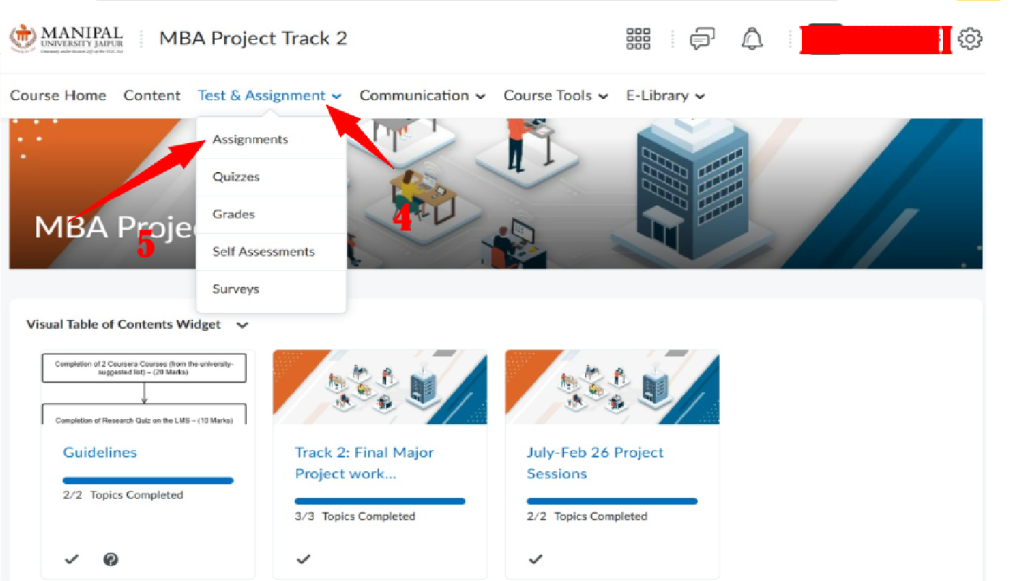
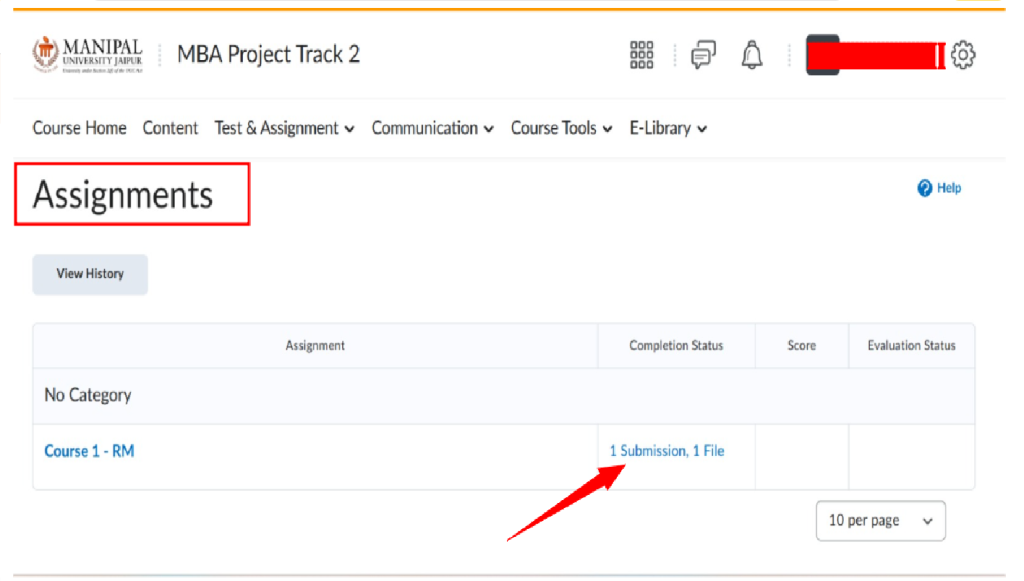
- Submit the certificate under: Test & Assignment → Assignments → Course-1 RM
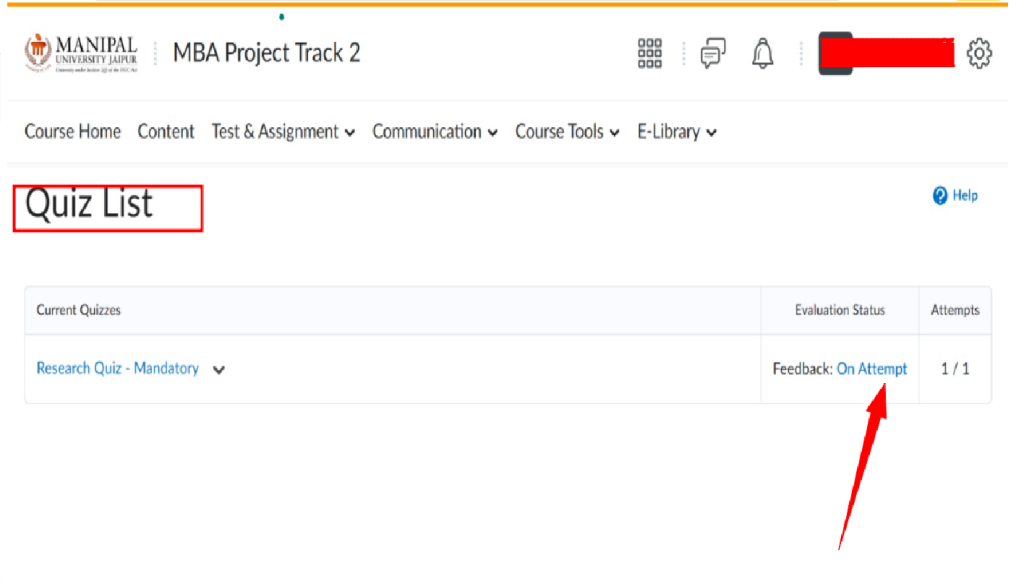
- Quiz on LMS: 1 attempt, 10 marks
- Steps to access the quiz: Test & Assignment → Quizzes
Step-by-Step Guide: How to Access & Submit MUJ MBA Project Track 2
Below is a clear, student-friendly step-by-step process based exactly on the MUJ Student Portal interface shown in the images.
Step 1: Login to MUJ Student Portal
- Open your browser and visit the official MUJ student portal
- Login using your Enrollment ID and Password
After successful login, you will land on the Home Dashboard.

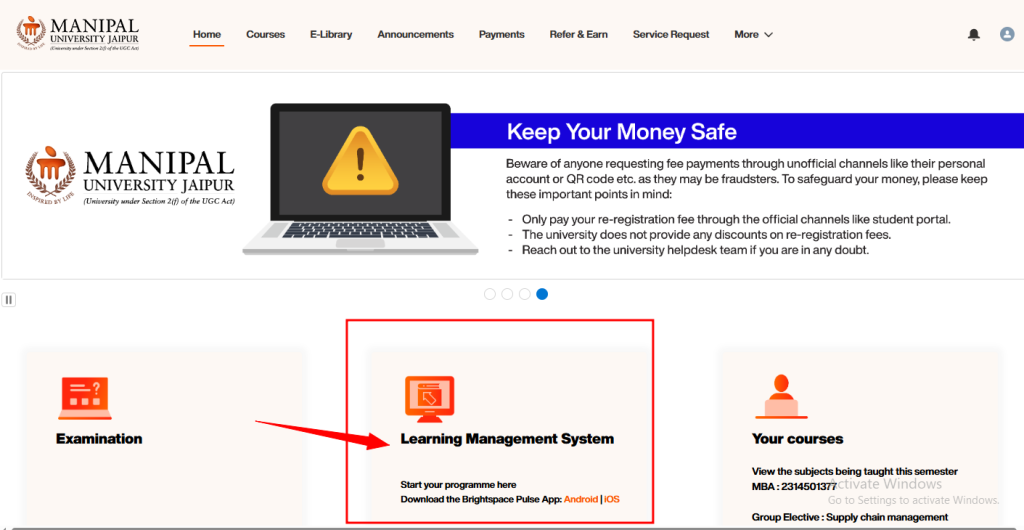
Step 2: Open Learning Management System (LMS)
- From the dashboard, locate the Learning Management System section
- Click on Learning Management System to access your course content
This will redirect you to the Brightspace LMS environment.
Step 3: Go to “Your Courses” Section
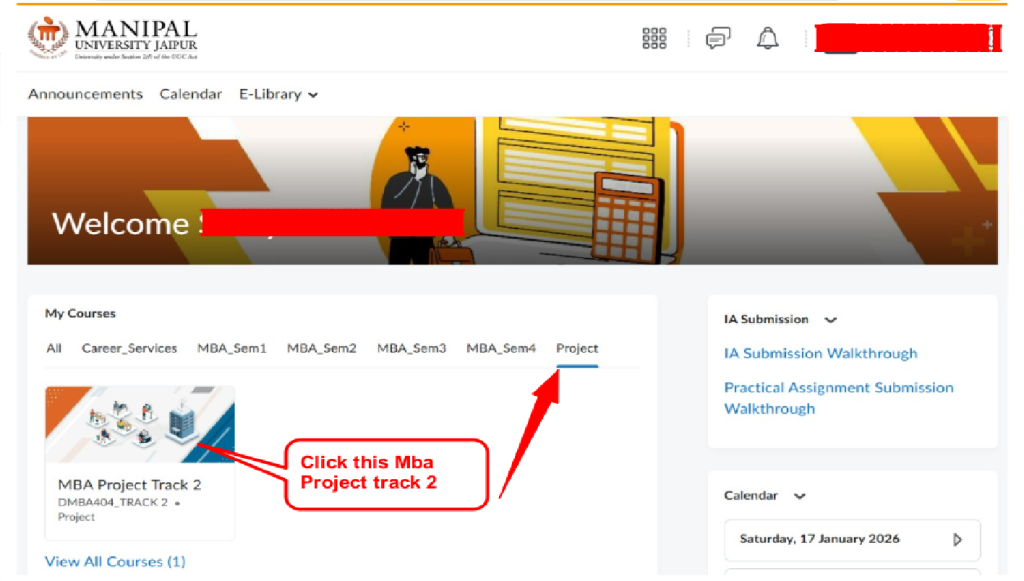
- On the LMS homepage, find the Your Courses panel
- Click on the Project tab available alongside semester-wise subjects
Step 4: Select “MBA Project Track 2”
- Under Project tab, click on MBA Project Track 2 (DMBA404 – TRACK 2)
- This will open the dedicated course page for Project Track 2
Step 5: Access Project Guidelines
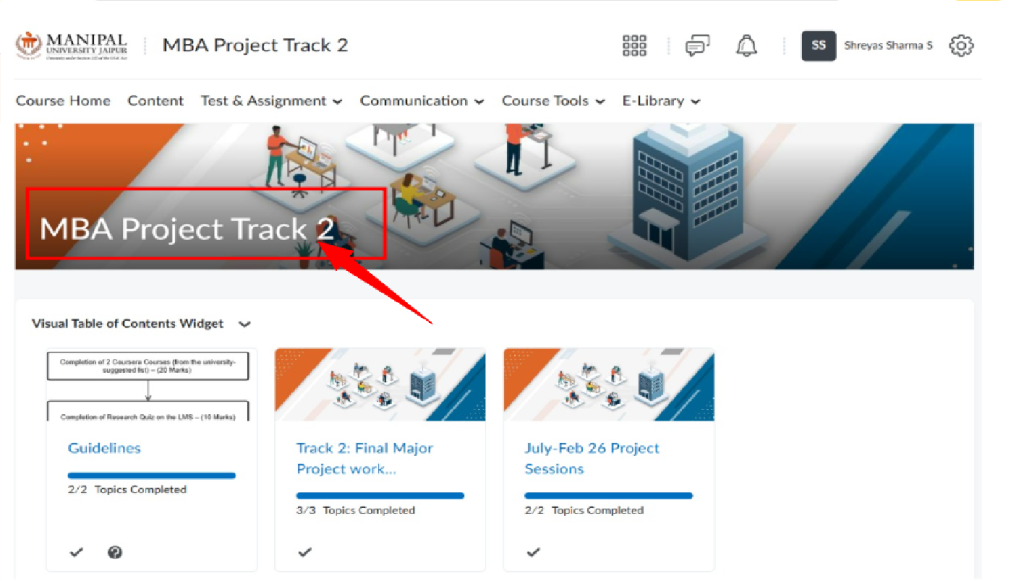
- On the Project Track 2 course page, locate the Visual Table of Contents Widget
- Click on Guidelines
- Carefully read all instructions related to:
- Project format
- Submission rules
- Evaluation criteria
Step 7: Submit Project Assignment
- Go to Test & Assignment → Assignments
- Click on Course 1 – RM (or the assignment name visible)
- Upload one single project report file as per guidelines
- Verify the status shows 1 Submission, 1 File
Step 8: Check Submission Status
After uploading:
- Ensure completion status is updated
- Keep a copy of the submission confirmation
- Track evaluation status from the same section
Evaluation Criteria
The MUJ TRAC-2 Project is generally evaluated based on:
- Project originality and relevance
- Understanding of concepts
- Quality of implementation
- Documentation and presentation
- Viva-voce or project demonstration
Contact us now at manipal.projecthelpline.in to get started and submit your assignment / Project work stress-free!
Need Help Now?
Call/WhatsApp: +91-9015596280, 9313565406, 9212129290
Email: [email protected]